BUILD AND CONQUER · MILITARY STRATEGY MMO

Build and Conquer
Your field guide.

Make your next move in Build and Conquer with a plan. Explore beginner guides, compare military branches, and use the resource calculator below before your next upgrade. An independent field guide to the military strategy MMO on iOS and Android.

✦ Free to play on iOS & Android
+ THE STRATEGIST'S ATLASFIELD NOTES / 001
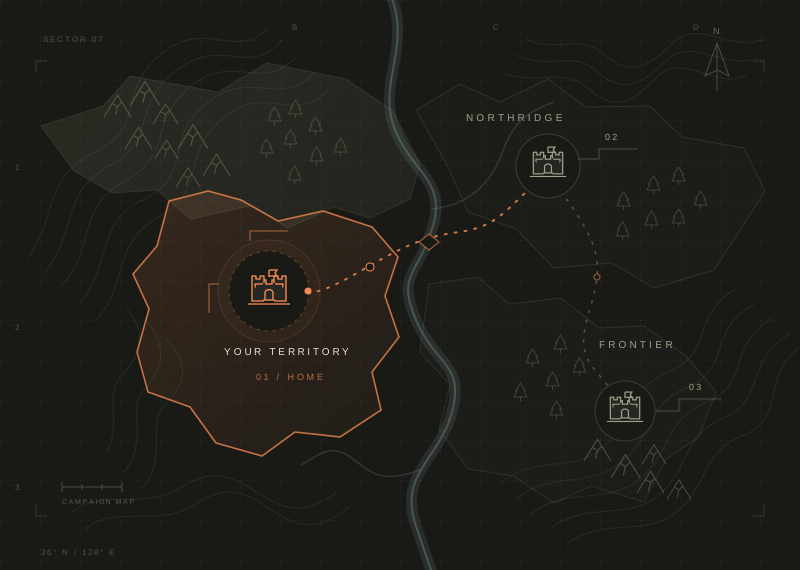
Original campaign map showing settlements, terrain, and an orange route toward a new frontier
YOUR FIRST OBJECTIVEA strong foundation.Plan your base before your next battle.
PLAN · BUILD · EXPANDILLUSTRATED CAMPAIGN MAP
04Military branchesInfantry, armored, air & naval
11Resource typesAn economy worth planning
30+Military unitsBuild an army for your strategy
A clearer first moveBeginner guides & planning tools

01 KNOW YOUR NEXT MOVE

Build and Conquer beginner guide.

Build and Conquer beginner guides. Start with the foundations.

THE FIELD GUIDE COLLECTION

YOUR FIRST SESSION

Start with a goal you can explain, then check what your base needs to achieve it. These planning steps help you read the systems; they are not a tested fastest upgrade order.

01

Read your base before spending

Open each building description and identify its job: production, military, defense, or support. Check the available upgrade, its prerequisites, and the resources it consumes. Before choosing a project, make sure you understand what it unlocks or improves. A useful question is whether this purchase solves the obstacle to your current goal or simply adds another demand on your stockpile.

02

Choose one goal and write its cost

Pick a building upgrade or a training goal that is available in your game. Record every required resource, your current stock, and net production after consumption. Use the calculator below to find the largest shortfall. Compare the estimate with your storage capacity and other planned spending. Keeping one clear budget makes it easier to decide what to postpone when resources are limited.

03

Compare your training options

Review the four military branches, then read the current unit descriptions before committing resources. Note training costs, upkeep, and prerequisites alongside the role you want a unit to serve. The comparison on this page summarizes the published branch descriptions. It does not assign a strongest army or invent a counter chart. Build your plan from the values visible in your version.

04

Check protection before expanding

The developer advertises beginner protection, scouting, practice camps, alliances, and resource markets. Read the current rules and your protection status before relying on any of them. When considering expansion, include existing commitments in your budget and confirm what information scouting provides. Keep enough flexibility to revise your plan when production, storage, or the situation on the world map changes.

Read the complete Build and Conquer beginner guide

02 BUILD YOUR FORCE

Compare the military branches.

Explore the military branches and compare their focus side by side.

Build and Conquer groups its army into Infantry, Ground Vehicles, Aircraft, and Naval units. Filter by land, air, or sea, then select at least two branches to open the comparison. Use their roles as a starting point, not a ranking. Your current training costs, upkeep, research requirements, and available buildings matter when choosing a force you can support.

Choose 2 or more to compare
01 / GROUND FORCE
INFANTRY
LAND

Infantry

Ground troops forming the core of your army.

BRANCH FOCUSGround troops
02 / ARMORED FORCE
ARMORED
LAND

Ground Vehicles

Tanks and APCs built for heavy assaults.

BRANCH FOCUSArmored vehicles
03 / AIR FORCE
AIR FORCE
AIR

Aircraft

Aircraft for air control and bombing.

BRANCH FOCUSAircraft
SEA

Naval

Warships for operations at sea.

BRANCH FOCUSNaval vessels
Showing all 4 branchesBranch overview · Check the in-game roster for current unit stats.

03 PREPARE, THEN PROGRESS

Build and Conquer
resource calculator.

A simple Build and Conquer resource calculator for your next upgrade or training goal.

  1. 01Enter the cost shown in your game.
  2. 02Add your stock and net hourly production.
  3. 03See the gap and estimated wait.
THE SIMPLE MATH

Missing resources ÷ hourly production
= time to reach your goal

A planning estimate. Use your current game values; spending, bonuses, and storage limits can change the result.

Enter the costs and production rates shown in your game. Blank stock or production is treated as 0. Sample inputs are hypothetical examples, not game costs.

Resource 1

Enter your required cost. Results appear here when JavaScript is available.

Resource 2

Enter your required cost. Results appear here when JavaScript is available.

Resource 3

Enter your required cost. Results appear here when JavaScript is available.

RESOURCES READY—
ESTIMATED WAIT—

Estimates assume constant production. Enter net production after upkeep; transfers, boosts, storage limits, and offline changes are not included.

A worked resource example

Suppose an upgrade needs 1,000 Food and you have 400. The shortfall is 600. At a net production rate of 200 per hour, that resource takes 3 hours to replenish. If the same goal needs 600 Oil, you have 100, and net production is 100 per hour, Oil takes 5 hours. You need both resources, so the estimated wait is 5 hours, not 8. These are hypothetical inputs, not published game costs.

Know what the estimate assumes

Production must stay constant, storage must hold the required amount, and the same stock cannot be spent on another project. A missing resource with zero net production has no finite wait under the current inputs. Change your plan or supply before relying on that estimate. Recalculate after an upgrade, transfer, purchase, or change in consumption.

Read the resource planning guide

THE BASE-BUILDING PLAYBOOK

Plan a base
with a purpose.

Think through the four building categories before your next upgrade. Production buildings supply resources; military buildings support training; defense and support have their own jobs to review. Start from the goal you chose and inspect the requirements in your base. If production is the bottleneck, compare the benefit and cost of improving supply with simply waiting. If training is the goal, check its prerequisites before spending elsewhere. The planning presets offer ways to organize these questions, rather than tested tile layouts or guaranteed bonuses.

04 KEEP YOUR BEARINGS

Game updates & code status.

Game updates and source notes, linked to the original.

Sources checked Oct 11, 2026
GAME UPDATEiOS · V1.2.4

Building caps & resource storage

The App Store notes describe expanding building caps and resource storage that grows with buildings.

Read the release notes
ANDROID

Check your platform's latest version

Google Play lists building-cap and storage changes, plus bug fixes, in its update notes.

View on Google Play
REDEEM CODESSOURCE CHECK

Looking for active codes?

No active redeem codes were confirmed in the sources checked. Read our status note before trying a code list.

YOUR NEXT MOVE

Download the game.
Start your plan.

Download Build & Conquer from its official store listings.

A FEW THINGS TO KNOW

Build and Conquer FAQ.

Your questions.
A clearer starting point.

Which Build and Conquer game is this?+

This site focuses on the military strategy MMO at buildnconquer.com, published by William Dens / WDVLD. It is a different game from the similarly named Roblox game, Your Majesty, and Empire City.

Is Build and Conquer free to play?+

The official website describes Build & Conquer as free to play on iOS and Android. Store listings include in-app purchases. Follow the official download links above for current availability in your region.

How does the resource calculator work?+

Enter the required cost, your current stock, and your net hourly production for each resource. The planner calculates the shortfall and divides it by production. Your longest wait is the bottleneck. It assumes constant production, no other spending, and enough storage capacity.

Are these official guides or tested best builds?+

This is an independent field guide. The beginner overviews describe systems listed by the game developer and stores. They are not official or play-tested builds. Check current in-game costs, stats, and rules before choosing an upgrade.

How should a beginner choose military units?+

Start with the role you need and the units your base can currently support. Compare their in-game costs, upkeep, stats, and prerequisites. The branch overview here gives context for that decision, but public descriptions do not establish a universal best army. Use the planner to estimate a specific training budget.

Where can I find valid redeem codes?+

No active codes were verified in the official sources checked. Look at current in-game announcements and the developer's own channels before using a code or redemption instructions. Availability may change, so an unverified list is not a reliable promise of rewards.